What are WhatsApp Business templates
WhatsApp Business templates, often called message templates or HSMs (Highly Structured Messages), are pre-approved messages businesses use to communicate with customers on WhatsApp. They enable companies to send notifications, alerts, reminders, and marketing messages efficiently while ensuring compliance and delivering a consistent brand experience.
Why templates are required on WhatsApp Business
Unlike person-to-person messaging, WhatsApp Business API communication is regulated. Businesses can only initiate conversations with customers using approved templates. This policy maintains message quality and prevents spam, giving users control over their interactions.
Template use cases
- Order confirmations and shipping updates
- Appointment reminders or alerts
- Promotional offers and newsletters
- Two-factor authentication codes (OTP)
- Survey and feedback requests
How to create WhatsApp Business templates
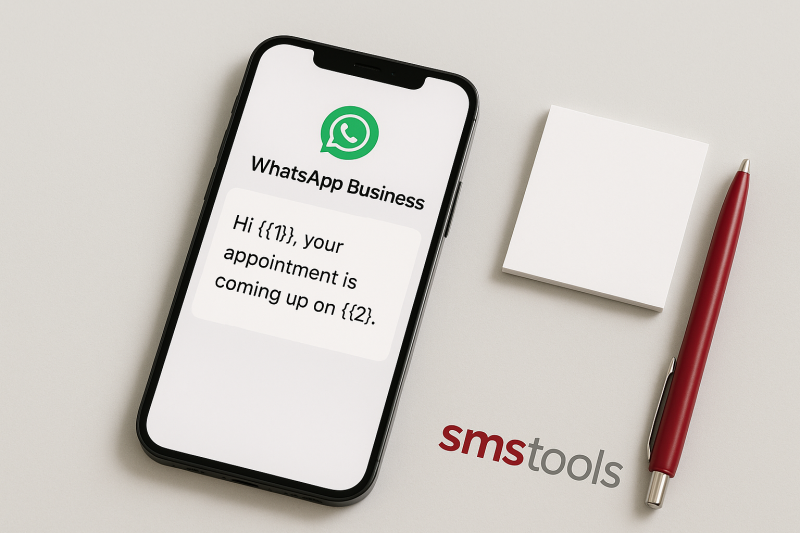
WhatsApp Business templates are structured with placeholders for personalization. Here's how to create one:
- Choose your template category (marketing, utility, authentication).
- Draft the message in the required language.
- Use variables (e.g., {{1}}, {{2}}) for customer-specific details.
- Submit for approval via your WhatsApp Business Provider or SaaS platform like Smstools.
Once approved, you can trigger the template via an API, integration, or automation platform.
Types of WhatsApp message templates
WhatsApp defines several template categories:
- Utility: Transactional messages, order updates, logistics, tickets, or alerts.
- Authentication: Secure logins or OTP codes. Try our OTP SMS service for full integration.
- Marketing: Newsletters, promotions, back-in-stock, event invitations. Learn more about WhatsApp newsletters.
Best practices for WhatsApp templates
- Keep messages brief and relevant.
- Use clear variables for personalization.
- Avoid spammy wording.
- Respect opt-in and opt-out rules.
- Localize templates for your customers' language.
Optimizing engagement with WhatsApp templates
Personalized WhatsApp templates allow for targeted campaigns and high engagement rates. Use them for automated birthday wishes, abandoned cart recovery, and auto-responders. Integrate with tools like Zapier or Make.com for workflow automations and instant triggers.
How Smstools supports WhatsApp Business templates
Smstools makes managing WhatsApp templates easy. Our platform offers:
- WhatsApp marketing tools for campaigns
- Seamless template approval workflow
- API integration to send personalized messages
- Automation with Zapier, Make.com, and Email2SMS
- European data handling and compliance
Start with a free trial to see how templates can boost your communication: REGISTER →
FAQs: WhatsApp Business templates explained
- What is the approval process? Templates are submitted via your provider and typically approved within 1-2 days.
- How many templates can I create? Most providers offer hundreds of template slots per account.
- Can I edit a template? Approved templates cannot be edited but can be duplicated and resubmitted.
- Can I send promotions with templates? Yes, if you use the marketing category and comply with WhatsApp’s rules.
- Is WhatsApp template use GDPR compliant? Smstools helps ensure your processes meet EU standards.
Ready to supercharge your messaging? Get started now: