Why receive SMS as email?
The ability to receive SMS messages directly in your email inbox brings together the best of both worlds. By converting SMS to email, you ensure important text alerts, notifications, or customer messages reach you wherever you check your email, providing unmatched convenience and flexibility. Businesses and individuals can benefit from this seamless communication, integrating SMS into workflows without extra software or hardware.
How does SMS to email work?
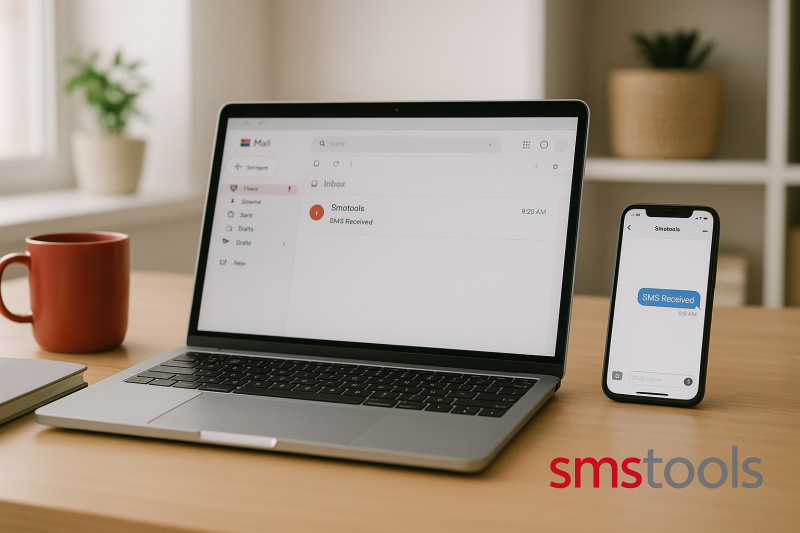
With Smstools, you can easily set up SMS to email forwarding. Incoming SMS messages on your chosen number are automatically forwarded to a designated email address. The sender’s phone number, message content, and even attachments can be included in the email, allowing you to read, store, and act on SMS messages from any device with email access.
- Instant notifications: Get SMS on your computer or mobile via email.
- Streamlined archives: Easily search, organize, or forward messages.
- Centralized communication: Manage all business alerts in your inbox.
Top use cases for receiving SMS as email
Converting SMS to email unlocks valuable possibilities for both businesses and individuals. Here are some practical use cases:
- Order and delivery updates: Forward logistics or shop notifications to your team’s shared mailbox.
- IT system alerts: Integrate SMS-based monitoring or security alerts with your incident management platform via email.
- Customer support: Instantly react to customer texts without switching tools.
- Two-factor authentication logs: Retain a copy of every received OTP via email for auditing purposes.
- Remote workforce: Keep travelling staff informed even when they lack SMS coverage but have email access.
Benefits of Smstools email to SMS integration
Our Email 2 SMS functionality ensures you can send and receive SMS using your existing email platform such as Outlook or Gmail. When linked with a virtual SMS number, each inbound SMS is converted and delivered straight to your inbox. There’s no need for SIM cards or devices on-site—our SIM hosting option can handle country-specific sender requirements.
- Simple setup with clear documentation
- No hardware required: everything in the cloud
- Multiple numbers and mailboxes supported
- Works perfectly alongside bulk sms campaigns and automation tools such as Make.com and Zapier
Step-by-step: how to receive SMS through email
- Create your Smstools account: Start with our free trial REGISTER →.
- Obtain a virtual SMS number: Choose a country and number type to receive SMS online.
- Configure email forwarding: In the Smstools dashboard, set your desired email address for incoming SMS messages.
- Test your setup: Send a test SMS to your virtual number and confirm it appears in your inbox.
Integrate with workflows and automation
Go beyond forwarding—connect SMS to your business logic. With integrations for Make.com, Zapier, and webhooks, you can trigger automated workflows whenever an SMS is received. Forward SMS to CRM, Slack, or any app—no coding needed.
Why choose Smstools?
Since 2004, Smstools has empowered European businesses with reliable, privacy-conscious messaging solutions. You benefit from local presence, GDPR-aware infrastructure, and fast support in your language.
- Over 20 years of experience
- Trusted by thousands of European companies
- Flexible plans for any size or need
Ready to streamline your messaging? Start today with our free trial
Sign up today and send your first message in minutes.Send SMS marketing with the #1 business SMS platform
FAQs: receive SMS as email
- Can I reply to SMS from my email?
Yes, with Smstools you can both receive and send SMS from email, turning email into a two-way SMS tool. - Which mail programs are supported?
All major platforms like Gmail, Outlook, and Apple Mail work by default. - Is this solution GDPR compliant?
All message processing occurs within Europe and follows GDPR standards. - Are attachments supported in SMS?
SMS itself does not support files, but links or MMS messages can be handled on compatible numbers. - Can I automate actions after receiving SMS as email?
Yes, our integrations with Make.com, Zapier, and webhooks support full automation.